Checking what needs updating (/check)
What /check reads, why it opens nothing, and why it can disagree with the nightly run.
Updated 2026-09-24
What it does#
/check answers "what is behind right now", usually in about a minute. It reads what the launchers have already written on disk and asks the stores where it can. It starts no launcher, downloads nothing and changes nothing, so it is safe at any hour, with the cafe full.
How to use it#
Send /check. The reply lists what is current and what is behind. Any game that is behind comes with a button: tap it and only that game updates.
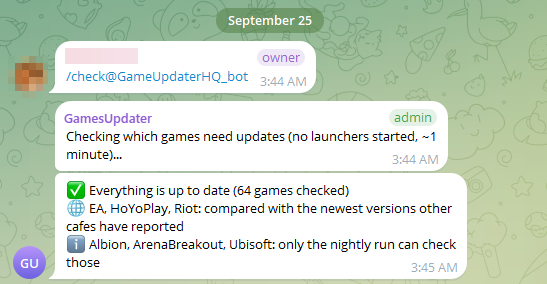
When nothing is waiting, the whole answer is one line:
In a real chat it looks like this (the owner's name is blurred):
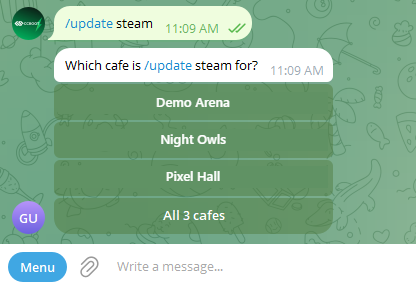
If your Telegram is connected to several cafes, the bot asks which one first, and offers All cafes so one tap checks them all:
What the reply means#
| Line | What it means |
|---|---|
| up to date (build 25218825) | The store's version and the installed version match |
| needs an update | The launcher itself says a download is waiting |
| could not check | The store did not answer; it is not a claim that the game is behind |
| all games match the newest version any cafe has reported | This cafe cannot ask that store, so it was compared with the rest of the fleet |
| checked without launching Steam | It read the files Steam keeps, instead of opening it |
Note: /check and the nightly run can disagree, and both can be right. /check reads what is known now; the nightly opens the launcher, and a launcher often works out only then that it has something to fetch. That is why a game can be "up to date" at noon and download at night.
When something needs you#
- "could not check" for everything in a launcher usually means that launcher is signed out. See Sign-ins and security codes.
- A game that /check keeps calling behind, night after night, is worth sending to your provider: it usually means the game belongs to another account. See Launcher accounts.