Your staff group
Connecting a Telegram group so employees can check and update without the owner.
Updated 2026-09-21
What it does#
A staff group gets the nightly reports and the five everyday commands, so whoever is on shift can see what happened and start an update. Everything that changes your cafe - settings, logins, the dashboard, the licence - stays in your private chat.
How to use it#
- Send /staffgroup in your private chat with the bot.
- The bot answers with an invite link, good for 24 hours and one use.
- Tap it and pick (or create) your staff group. Done.
Add or remove employees by adding or removing them from the group. There is nothing else to manage, and no separate accounts.
If you have several cafes, the bot asks which one the group is for. Each cafe gets its own group.
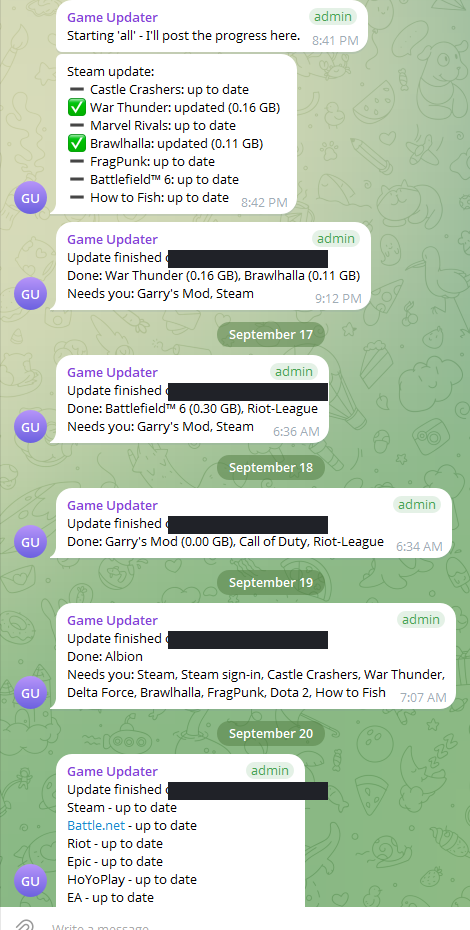
What the reply means#
What a staff group can send: /check, /status, /games, /update, /stop.
Anything else is answered with "That one is the owner's - this group can use /check, /update, /status, /games and /stop." That includes /signin, /code, /license, /setup, /scan, /logs and the dashboard link.
What a staff group receives: the nightly and manual run reports. It never receives security codes, sign-in requests, account names or licence warnings - those go to you alone.
When something needs you#
- The invite link did not work. They expire after a day; send /staffgroup again.
- The group gets nothing. Check the bot is still a member of the group; if it was removed, make a new invite.
- An employee needs more than the five commands. That is deliberate; forward them the request, or do it from your chat.