What GamesUpdater does
What runs every night on the cafe server, which launchers it covers, and what it never touches.
Updated 2026-09-24
What it does#
GamesUpdater runs on the cafe SERVER - the machine that holds the game disks. Every night, at the hour you choose, it opens each game launcher in turn, lets it download whatever is waiting, checks that the game really moved to the new version, and then tells you in Telegram what changed.
Most nights the answer is "already up to date", and that is the point: you find out in one message instead of walking to the server. A night with work to do reads like this:
Note: It never touches the client PCs, never reboots anything, and never plays a game. It does not change your launchers' own settings except where that is the only way to let a game update - and every one of those can be switched off on your dashboard.
How to use it#
After the install there is nothing to do daily. The three things you will use:
- The nightly message arrives by itself. If it says nothing needs you, nothing needs you.
- Send /check when you want to know right now, before the night runs.
- Send /update all when you want it now instead of tonight.
Your dashboard holds everything else: the hour it runs, a pause, which launchers and games to bother with, and the logins it may use.
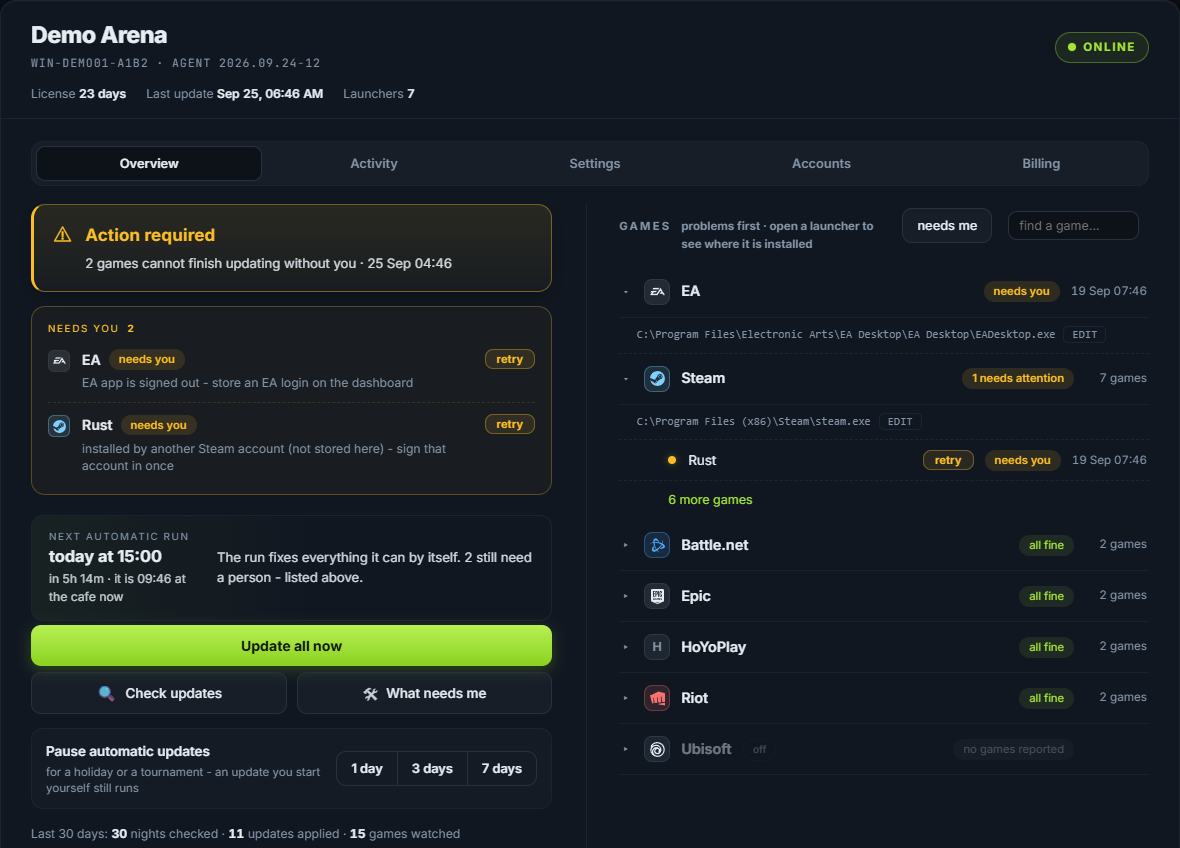
Tip: Send /dashboard to the bot at any time for a fresh private link to that page.
What the reply means#
The report is grouped by launcher, so you read it the way you think about your server:
- a launcher with a total, then one line per game that updated, with its size
- "up to date" when the launcher had nothing to do
- anything that needs a person, last, with the fix
See The nightly report, line by line for every line it can contain.
When something needs you#
Two things it cannot do alone, ever:
- A launcher that is signed out. No launcher downloads anything for a signed-out machine. The updater can sign back in when you have stored that login (see Sign-ins and security codes), but the first sign-in is yours.
- A game that belongs to another account. A game can only be updated by an account that owns it. See Launcher accounts.
Both are reported with the account name and the one action that fixes them.